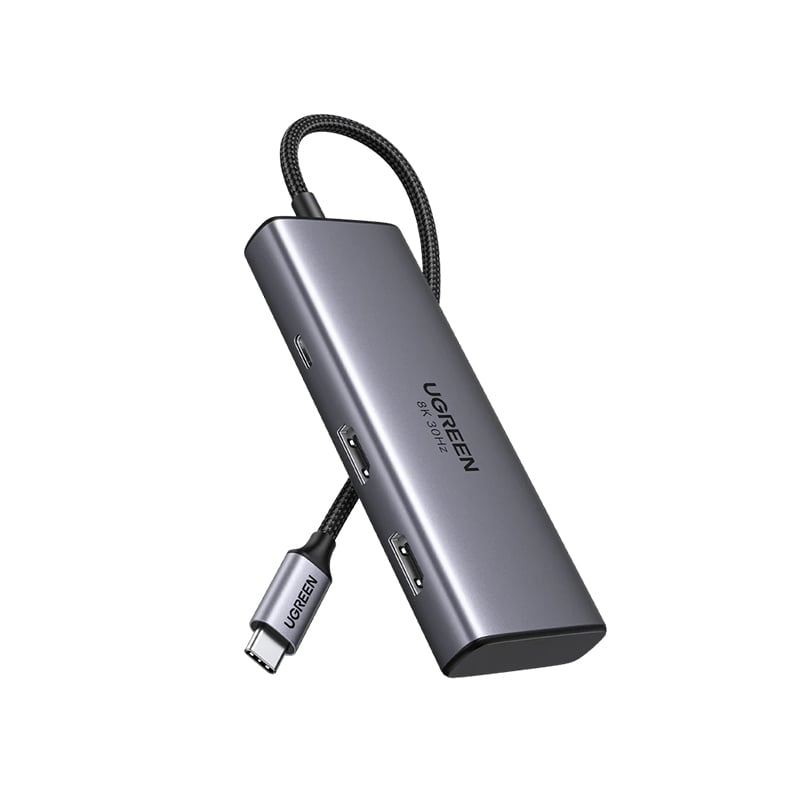





UGREEN 55334 5-in-1 Type-C to 4xType-C 3.2 Gen2 10Gbps with PD Hub Adapter
UGREEN 55334 5-in-1 Type-C to 4xType-C 3.2 Gen2 10Gbps with PD Hub Adapter LKR 6,250.00
3 X Rs. 4,316.67 with mintpay_info_icon_woocommerce

or 3 X LKR 4,316.67 with Koko
Back to products
YNI 530 Contact Cleaner
YNI 530 Contact Cleaner LKR 1,500.00
3 X Rs. 4,316.67 with mintpay_info_icon_woocommerce

or 3 X LKR 4,316.67 with Koko
12 People watching this product now!
12 Items sold in last 3 hours
0 days 00 hr 00 min 00 sc

SALE ENDS IN:

0 days 00 hr 00 min 00 sc
logo

UGREEN 15852 Revodok 206 6 in 1 Type-C to 2xUSB 3.0 + USB-C 3.0 + 2xHDMI + PD USB-C Hub Adapter

🎁 Buy this product and earn up to 13 CyberPoints!
  • 6-in-1 USB C Hub
  • Dual HDMI Display
  • 8K UHD Display
  • 100W Power Delivery
  • Transfer Files in Seconds

LKR 12,950.00

3 X Rs. 4,316.67 with mintpay_info_icon_woocommerce

or 3 X LKR 4,316.67 with Koko

LKR 14,389.00
Discounted prices will be applied on checkout
Cash Price
FLAT 10% OFF!
LKR 12,950.00
Bank Transfer
FLAT 10% OFF!
LKR 12,950.00
visa
FLAT 7.5% OFF!
LKR 13,310.00
amex
FLAT 6% OFF!
LKR 13,526.00
koko
LKR 14,389.00
LKR 4,796.00 x 3 months
mintpay
LKR 14,389.00
LKR 4,796.00 x 3 months
🎁 Buy this product and earn up to 13 CyberPoints!

Need Expert Advice?

OFFLINE

All our agents are 😴 Please leave a message.

Back online in 7h 5m 41s

We added you to this product's waitlist and we'll send you an email when the product is available.

Leave Waitlist

This product is currently sold out.

No worries! Enter your email, and we'll let you know as soon as it's back in stock.

 Standard Delivery Information (Estimated Delivery Time)

  • Colombo 1-15 (1-2 Working Days)
  • Colombo Suburbs (1-3 Working Days)
  • Other Areas (1-5 Working Days)

Xpress Delivery Available for Colombo 1-15 and selected suburbs only.

 Store Pickup: Between 12PM to 5PM from Monday to Saturday
Why shop with us?
☑️ 10+ years on the market
☑️ 6+ years as an online store
☑️ 15,000+ completed orders
☑️ Top positive feedbacks

Payment Methods:

Payment Methods

UGREEN 15852 Revodok 206 6 in 1 Type-C to 2xUSB 3.0 + USB-C 3.0 + 2xHDMI + PD USB-C Hub Adapter

  • 6-in-1 USB C Hub: UGREEN USB C Hub dual HDMI offers 6-in-1 connectivity with two HDMI ports and more.
  • Dual HDMI Display: The Docking Station supports 4K@60Hz max for efficient multitasking.
  • 8K UHD Display: USB C Dual HDMI Adapter delivers stunning 8K@30Hz resolution.
  • 100W Power Delivery: USB-C PD port supports 85W pass-through charging for fast MacBook Pro charging.
  • Transfer Files in Seconds: USB-C data port and dual USB-A ports enable high-speed file transfers.

1. Why can’t dual HDMI display at the same time?

a) Check the graphics card performance of the laptop or ask the computer manufacturer whether it supports extending two displays at the same time; b) Check the power management settings. In the power options, you can adjust the power plan and select “High performance” or similar settings; c) Check the display settings. In Windows, you need to go to “Display Settings” to configure the display. Make sure you have set the display mode to “Extend these displays” instead of “Show desktop only on 1” or “Show desktop only on 2”; d) Macbook only supports SST mode. If the color gamut of the two HDMI screens is different, it may cause single-screen output. It is recommended to swap the devices connected to HDMI1 and HDMI2; e) Mobile phones and iPads can only support single-screen display but not dual-screen display; It is recommended to connect to HDMI2 first when using mobile phones and iPads.

2. Why can’t the laptop be charged through the PD interface or is charging slowly?

a. Please confirm whether the USB-C interface of the laptop supports the charging function. If your computer uses a DC interface, please connect the original adapter. b. When your computer is charging slowly, please use the original adapter of the computer or a charger above 65W.

3. How can I troubleshoot if my monitor cannot display?

a.Make sure your laptop’s USB-C port supports video output; b. Lower your monitor’s resolution or refresh rate; c. Replace another high standard HDMI cable.

4. When I connect to 2 monitors with Mac, why do both monitors show the same image?

Macbooks only support SST mode. In extended mode, two monitors display the same image; Windows supports MST mode. In extended mode, two monitors can display different images (computer processors must be 4th generation or higher, and graphics cards, systems, and external monitors must support DP1.2 and above)

5. Why does the USB-C/A external device disconnect?

a. It is recommended that the power of the external device does not exceed 10W. If more than two high-power devices are connected at the same time, it is recommended to plug in the PD charger for power supply first; b. When the product is connected to a wireless mouse and other USB 3.0 devices at the same time, the wireless mouse can be used at a distance of about 0.4 meters; c. If your computer system is Windows 11, please check the laptop power management settings and make sure they are set not to limit performance in battery mode.

Customer Reviews